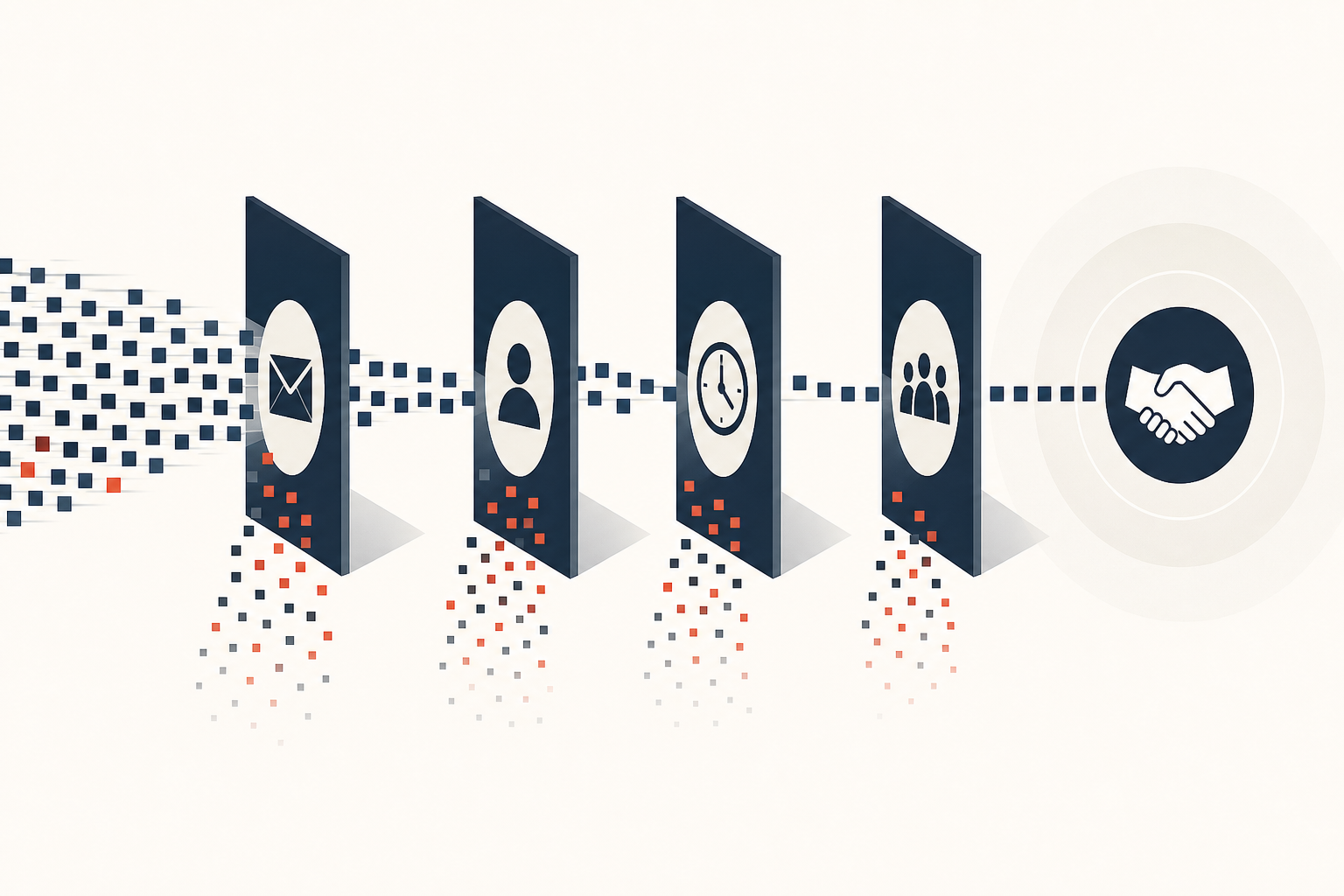
A recent credential-harvesting campaign reportedly compromised thousands of third-party credentials in less than six hours. Its distinguishing feature was not a novel vulnerability or an unusually large criminal organization. The attackers used an autonomous, multi-agent AI framework to plan, scan, troubleshoot, rotate infrastructure, and collect credentials with limited human supervision.
For small and midsized businesses, the lesson is not that every company needs defensive AI. It is that the time between an exposed weakness and real business damage is shrinking.
Attackers have long automated internet scanning, phishing emails, stolen-password attempts, and cloud-service probing. AI makes those activities more adaptive. Rather than waiting for an operator to interpret an error, revise a script, or choose the next target, an agentic system can adjust in real time.
Many SMB security programs still depend on attackers moving slowly enough for someone to notice, investigate, and intervene. That assumption is becoming less reliable.
Speed and scale change the risk
The reported campaign used an AI coding chatbot, prompts, and preconfigured instructions as an operational playbook. The system handled vulnerability scanning, credential harvesting, troubleshooting, and IP rotation. It turned tasks that once required skilled people and sustained attention into a faster, repeatable process.
AI has not made sophisticated attacks effortless. Criminals still need access, infrastructure, and worthwhile targets. But it reduces the time and cost of exploiting ordinary security failures. An unpatched internet-facing application, exposed development token, reused administrator password, or poorly protected cloud account can be found and abused before a weekly IT review occurs.
This matters most for organizations with limited security capacity. A smaller company may not be individually high value, but it can be one of hundreds or thousands of targets processed automatically. Attackers no longer need to choose victims one at a time if their systems can identify vulnerable organizations at scale.
Controls that depend on delayed human action—periodic log review, quarterly access cleanup, or informal patching schedules—need reinforcement. The goal is not perfect prevention. It is to make common attacks fail quickly and detect the ones that get through before they become a broader disruption.
Credentials are a core business asset
The source reporting describes attacks targeting cloud credentials, developer configurations, AI coding assistants, CI/CD pipelines, and API keys. These are technical details with a straightforward business implication: credentials increasingly control valuable parts of the company.
A cloud access key may provide access to computing resources, data storage, backups, or customer information. A development token may permit changes to source code or deployment pipelines. An AI service API key can expose proprietary prompts, documents, or usage capacity, and may generate unexpected charges if hijacked. A compromised email account can lead to invoice fraud, customer impersonation, or ransomware.
For many SMBs, identity security now matters as much as perimeter security. A firewall offers limited protection when an attacker signs in with a legitimate account.
Reduce the power and lifespan of credentials:
- Require multi-factor authentication for email, cloud administration, finance systems, remote access, and code repositories.
- Use phishing-resistant methods, such as security keys or device-based passkeys, for privileged accounts where feasible.
- Eliminate shared administrator accounts.
- Give employees and service accounts only the access they need, and review administrative privileges regularly.
- Remove API keys and passwords from code repositories, deployment scripts, spreadsheets, and chat threads.
- Use a managed password vault and the secrets-management features available through cloud or development platforms.
- Rotate keys when an employee leaves, a vendor relationship changes, or exposure is suspected.
Development tools are part of the attack surface
The campaign described in the source material included attacks through public software ecosystems such as PyPI, npm, and Docker Hub. These repositories are essential to modern development, allowing teams to use third-party packages and container images to build applications quickly. They are also attractive malware distribution channels.
This affects more than software companies. Businesses that operate customer portals, use development agencies, maintain internal integrations, or rely on customized workflows may inherit supply-chain exposure through the tools and dependencies used on their behalf.
Leaders do not need to audit every software package personally. They should expect clear answers from internal IT teams or outside providers:
- Who approves new third-party code packages and container images?
- Are dependencies kept current and monitored for known vulnerabilities?
- Are production deployments protected from a compromised developer account?
- Can the business identify systems affected by a compromise of a key supplier or software component?
A practical baseline includes code review for production changes, separation between development and production access, and multi-factor authentication for code repositories and deployment platforms. Contracts with outside development or hosting firms should address credential handling, incident notification, access removal, backups, and patching responsibilities.
Govern AI use without slowing the business
The technologies attackers use can also be useful inside a business. Employees may use AI assistants to draft content, analyze documents, write code, or support customer service. The issue is not AI use. It is unmanaged AI use involving sensitive data, company credentials, or production systems.
A short, workable policy should identify approved AI tools, define what data employees may enter, establish who can connect AI services to company systems, and set requirements for API-key management. Staff should understand that customer data, confidential contracts, source code, passwords, and internal financial information do not belong in unapproved public tools.
Preparation also needs to match the pace of attacks. Centralize logging for critical systems. Alert on unusual sign-ins and new administrator accounts. Know who has authority to disable accounts or revoke keys after an incident, and test that process occasionally.
When attackers can move from scanning to stolen credentials in hours, a response plan measured in days is not adequate.
The most effective SMB strategy is not to match criminal AI with expensive technology. It is to remove easy paths: protect identities, control credentials, secure development and cloud access, and make abnormal activity visible early. AI may accelerate attackers, but disciplined fundamentals still determine whether that speed becomes a business crisis.